


FatbandsPlot
[1]:
import sisl
For this notebook we will create a toy “Boron nitride” tight binding:
[2]:
# First, we create the geometry
BN = sisl.geom.graphene(atoms=["B", "N"])

# Create a hamiltonian with different on-site terms
H = sisl.Hamiltonian(BN)

H[0, 0] = 2
H[1, 1] = -2

H[0, 1] = -2.7
H[1, 0] = -2.7

H[0, 1, (-1, 0)] = -2.7
H[0, 1, (0, -1)] = -2.7
H[1, 0, (1, 0)] = -2.7
H[1, 0, (0, 1)] = -2.7
Note that we could have obtained this hamiltonian from any other source. Then we generate a path for the band structure:
[3]:
band = sisl.BandStructure(
    H,
    [[0.0, 0.0], [2.0 / 3, 1.0 / 3], [1.0 / 2, 1.0 / 2], [1.0, 1.0]],
    301,
    [r"Gamma", "K", "M", r"Gamma"],
)
And finally we just ask for the fatbands plot:
[4]:
fatbands = band.plot.fatbands()
fatbands
/opt/hostedtoolcache/Python/3.14.8/x64/lib/python3.14/site-packages/plotly/io/_kaleido.py:185: UserWarning: The kopts argument is ignored if using a server.
  img_bytes = kaleido.calc_fig_sync(
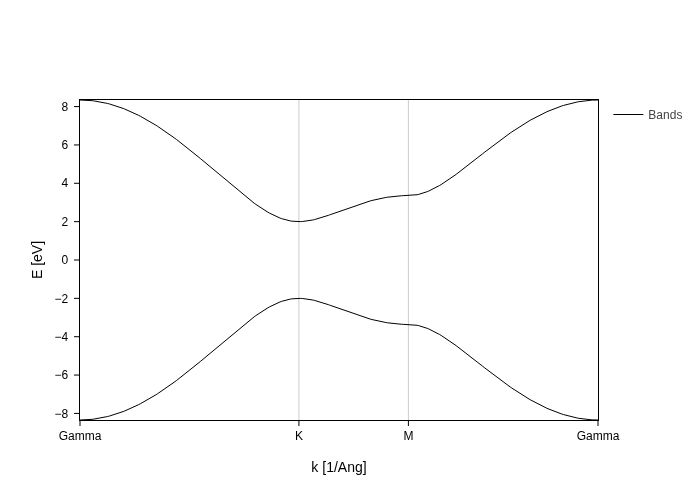
We only see the bands here, but this is a fatbands plot, and it is ready to accept your requests on what to draw!
Requesting specific weights
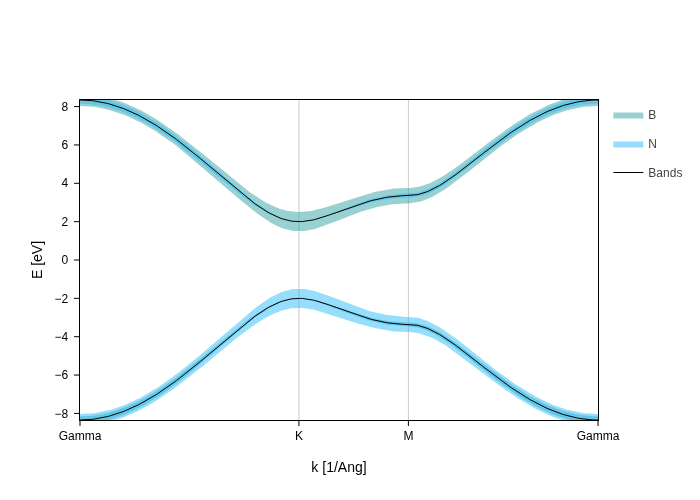
The fatbands that the plot draws are controlled by the groups setting. This setting works exactly like the groups setting in PdosPlot, which is documented here. Therefore we won’t give an extended description of it, but just quickly show that you can autogenerate the groups:
[5]:
fatbands.split_orbs(on="species", name="$species")
/opt/hostedtoolcache/Python/3.14.8/x64/lib/python3.14/site-packages/plotly/io/_kaleido.py:185: UserWarning: The kopts argument is ignored if using a server.
  img_bytes = kaleido.calc_fig_sync(
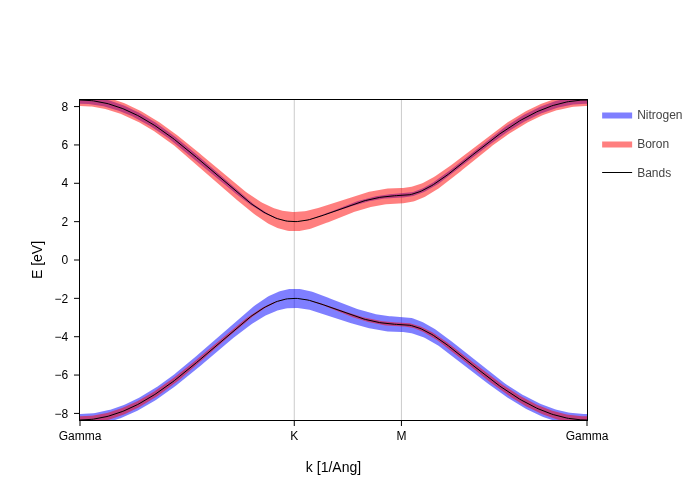
Or write them yourself if you want the maximum flexibility:
[6]:
fatbands.update_inputs(
    groups=[
        {"species": "N", "color": "blue", "name": "Nitrogen"},
        {"species": "B", "color": "red", "name": "Boron"},
    ]
)
/opt/hostedtoolcache/Python/3.14.8/x64/lib/python3.14/site-packages/plotly/io/_kaleido.py:185: UserWarning: The kopts argument is ignored if using a server.
  img_bytes = kaleido.calc_fig_sync(
Scaling fatbands
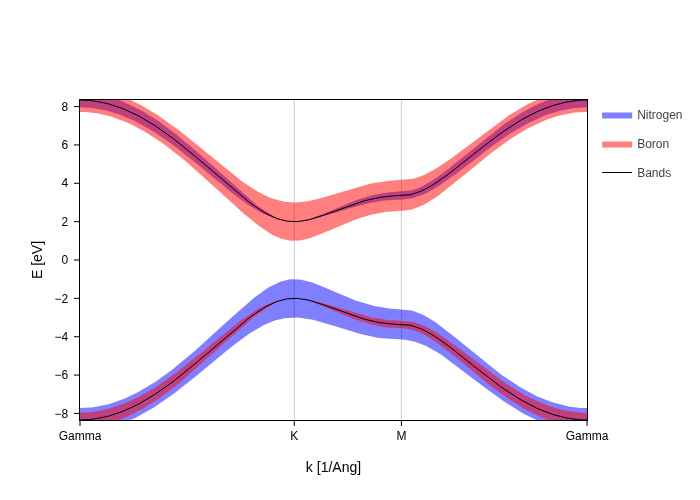
The visual appeal of fatbands depends a lot on the size of your plot, therefore there’s one global scale setting that scales all fatbands at the same time:
[7]:
fatbands.update_inputs(fatbands_scale=2).show("png")
/opt/hostedtoolcache/Python/3.14.8/x64/lib/python3.14/site-packages/plotly/io/_kaleido.py:185: UserWarning: The kopts argument is ignored if using a server.
  img_bytes = kaleido.calc_fig_sync(
Use BandsPlot settings
All settings of BandsPlot work as well for FatbandsPlot.